

AI Backing Vocals: Build Supporting Layers from a Guide Take
Build backing vocals from recorded parts. Choose doubles, octaves, and harmonies, audition supporting voices, and keep the lead clear in the mix.
By Vocalist.ai Editorial Team · October 8, 2026 · 4 min read
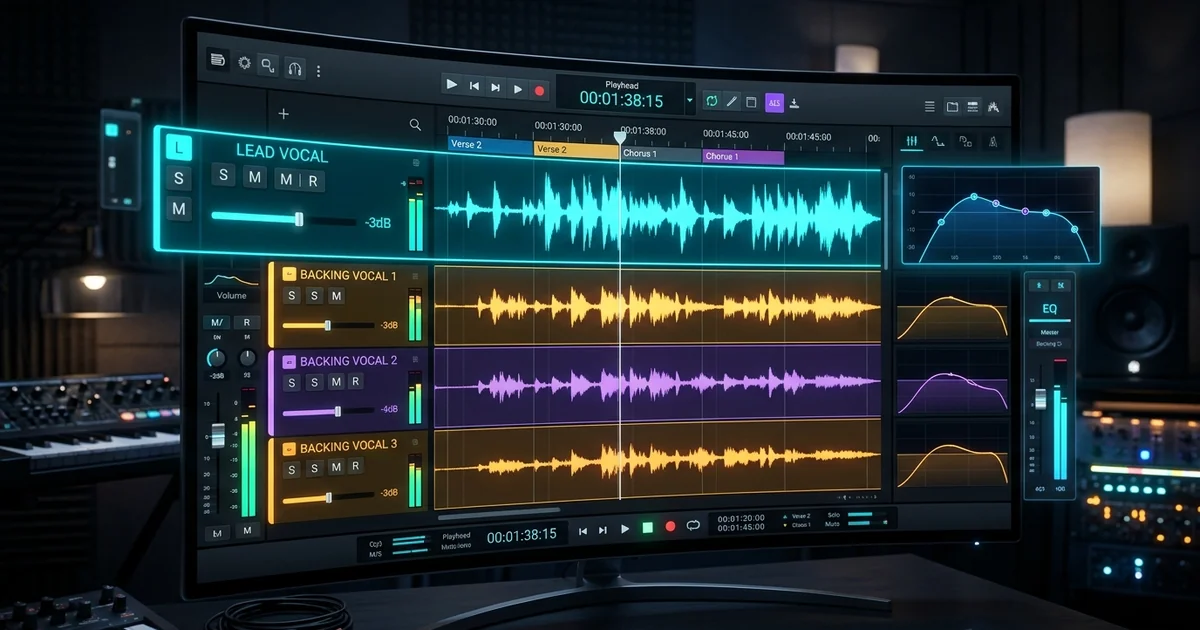
AI backing vocals can help you audition different vocal characters for supporting parts you have recorded. The arrangement still comes first: decide whether the song needs a double, an octave layer, a harmony, or a short answering phrase, then prepare that part for transformation.
Vocalist.ai transforms input vocals. It does not automatically compose harmonies from a lead, and creating backing parts is different from extracting existing backing singers from a finished mix.
Give every layer a job
Start with the lead and name the problem you want to solve. A chorus that needs more weight may only need a restrained double. A lyric that needs a response needs another performance, not five copies of the same lead.
| Supporting part | What you supply | Main arrangement check |
|---|---|---|
| Unison double | Another take of the melody | Do consonants and note endings support the lead? |
| Octave layer | The melody in another octave | Does the register leave room for the lead? |
| Harmony | A different, complementary note line | Does each important note work over the chord? |
| Response or ad-lib | A separately performed phrase | Does it fill a gap rather than obscure the lyric? |
Hear the difference between a solo and a stack
The supplied layering examples include a solo-vocal mix and a version with doubles. Compare the sense of density and the clarity of the main words:
The supplied production example with the solo vocal treatment.
The supplied production example with the doubled vocal treatment.
Listen for the role of the supporting voices rather than copying a particular pan setting. For the tracking technique itself, read how to double vocals.
Build a backing-vocal section in five steps
1. Mark the words that need support
Loop one chorus and mark the phrases that benefit from reinforcement. Try the last line, a title phrase, or a response between lead lines before covering the entire section. Leaving some words unstacked creates contrast without adding another effect.
2. Record each musical part separately
Sing the intended notes and rhythm for each layer. For harmonies, audition against the chords, not just the lead in isolation. A fixed pitch shift is not a reliable substitute for writing a line that follows changing harmony.
Export each part dry and solo from the same timeline position. Do not send a combined lead-plus-harmonies file into a single-voice transformation and expect individually controllable results.
3. Audition complementary voices
Choose a singer model based on its job in the stack. A strong solo tone can be too prominent behind a delicate lead. Compare a contrasting timbre and a similar timbre at the same backing-vocal level before deciding.
Check each part's range separately. The low harmony and high octave do not necessarily suit the same model, even if both belong in the same chorus.
4. Edit for intelligibility, not identical waveforms
Bring the transformed parts back to their original bar position. Tighten distracting entrances, long consonants, and stray word endings. Avoid aligning every breath and pitch movement so precisely that the layers lose their distinct performances.
Transformation does not guarantee independence between tracks made from the same take. Check the stack in mono, especially if you also use delays or stereo widening.
5. Balance underneath the lead
Bring the backing parts up from silence while the instrumental plays. Stop when they support the phrase; then mute them briefly to check what they contribute. Pan and effect choices depend on the song. A sparse verse may need a narrow response, while a chorus may benefit from a wider pair.
The Sound On Sound vocal-production guide also discusses how breaths and timing accumulate in layered backing vocals. Clean those details before reaching for more processing.
Doubles, octaves, and harmonies are not interchangeable
An octave layer changes register but repeats the same pitch classes. A harmony introduces other notes. Both can thicken an arrangement, but they have different musical consequences.
The supplied octave part, presented as an octave example rather than a different-note harmony demonstration.
If you need thirds, suspensions, or a counterline, write those notes first. The vocal harmonies guide walks through that decision.
Keep a useful stack, not the largest stack
If the hook gets harder to understand as you add voices, mute layers until it becomes clear again. Fix the arrangement, timing, or register before adding EQ. Save the solo parts so you can rebalance the stack later.
Keep the parts separate so you can change a voice, adjust a level, or simplify the stack as the song develops.