

How to Remove Reverb from Vocals: De-Reverb Stems for Production and Transformation
Learn how to remove room echo and baked-in reverb tails from vocal recordings. Compare traditional gating with deep-learning neural de-reverberation tools.
By Vocalist.ai Editorial Team · September 3, 2026 · 5 min read
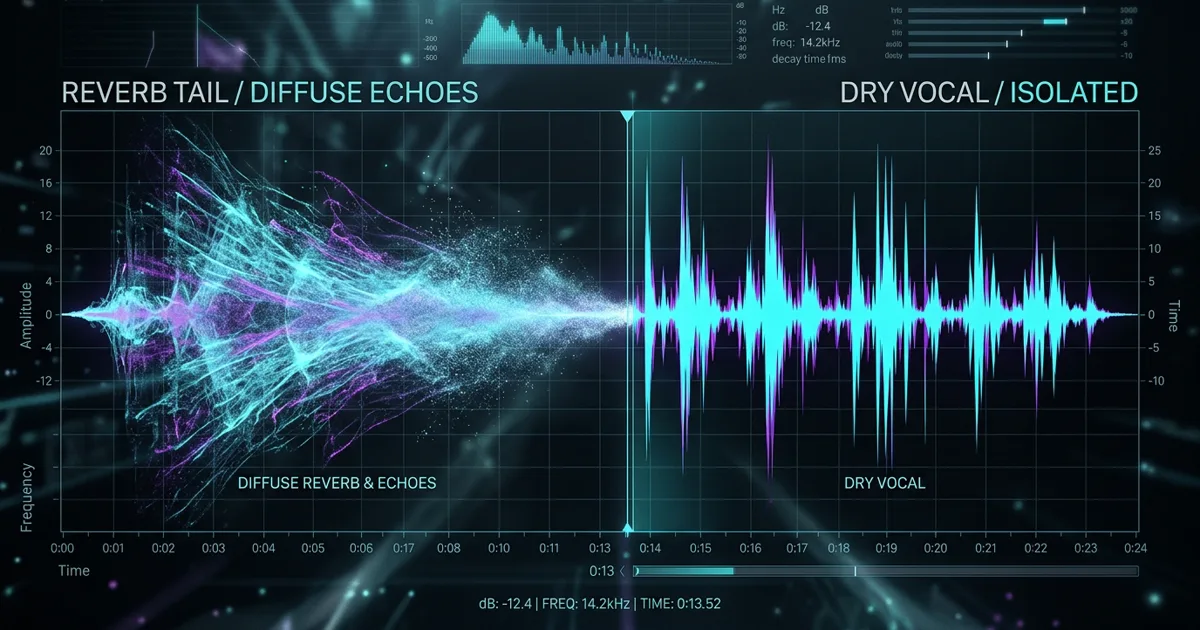
Baked-in room reverberation is the nemesis of clean vocal production. Whether you are dealing with a lead vocal recorded in a reflective bedroom, a sample pulled from an old vinyl record, or an acapella isolated from a commercial track, lingering reverb tails and room echo create massive mixing headaches.
When you add compression to an echoed vocal, the compressor drags up the quiet room noise, making the vocal sound even further away. If you try to tune an echoed vocal, the pitch detector tracks the fading reflections instead of the singer's voice. And if you run an echoed vocal through AI voice models, the model tries to transform the reverberant reflections as if they were additional singers.
Here is how room reverberation behaves in recorded audio, why legacy gating fails, and how modern deep-learning de-reverb models strip reflections to give you pristine, dry vocals.
Why traditional gates and transient shapers fall short
For decades, audio engineers tried to eliminate room sound using standard mixing utilities:
- Noise Gates / Downward Expanders: A gate mutes audio when the signal drops below a set volume threshold. While this silences reverb tails during long pauses between phrases, it does nothing while the vocalist is actually singing. The moment the gate opens, the room echo rushes back in.
- Transient Shapers: These plugins allow you to turn down the sustain portion of a sound envelope. While effective on percussive drum hits, transient shapers make vocals sound unnatural, swallowing vowel decay and making consonants sound clipped and spiky.
- Static EQ / Notch Filtering: Room resonances ring out at specific frequencies (room modes). Cutting those frequencies with EQ can reduce boxiness, but it cannot remove the diffuse time-domain smear of reverberation.
The isolated vocal still contains the spatial treatment from the original mix.
The cleaned vocal prepared for transformation.
These clips follow the same vocal through isolation and De-Reverb, making the difference relevant to the actual cleanup workflow rather than comparing unrelated recordings.
The Acoustic Dilemma: Reverb is not an isolated sound; it is thousands of overlapping, delayed reflections of the vocal itself. Removing reverb requires separating the direct human voice from its own scattered reflections.
How AI neural de-reverberation works
Modern acoustic dereverberation models use deep convolutional neural networks trained on paired datasets: clean, bone-dry studio vocal recordings paired with the exact same recordings placed inside hundreds of simulated and measured acoustic spaces.
By comparing the dry signal against the reverberant signal across millions of training iterations, the neural network learns to:
- Identify the direct sound arrival (the singer's vocal cords and mouth).
- Calculate early acoustic reflections (bounces off nearby walls and ceilings).
- Isolate the diffuse reverberant tail (the decaying cloud of room reflections).
- Mathematically subtract the reflections while reconstructing the original harmonic envelope of the direct voice.
The result is a dry vocal that sounds as if it were recorded inside an acoustically treated vocal isolation booth.
3 practical workflows for removing vocal reverb
Depending on your source material, follow these steps to clean up room echo:
Workflow 1: Cleaning isolated stems from mixed songs
When you separate a vocal from a full stereo mix using a standard stem splitter, the backing instruments are removed, but the song's stereo vocal reverb usually stays behind in the vocal stem.
Using a dedicated two-in-one separation tool - such as Vocalist's Stem Splitter De-Reverb mode - removes both the instrumental backing tracks and the lingering reverb tail in a single pass. This produces an acapella that is ready for fresh mixing or vocal transformation.
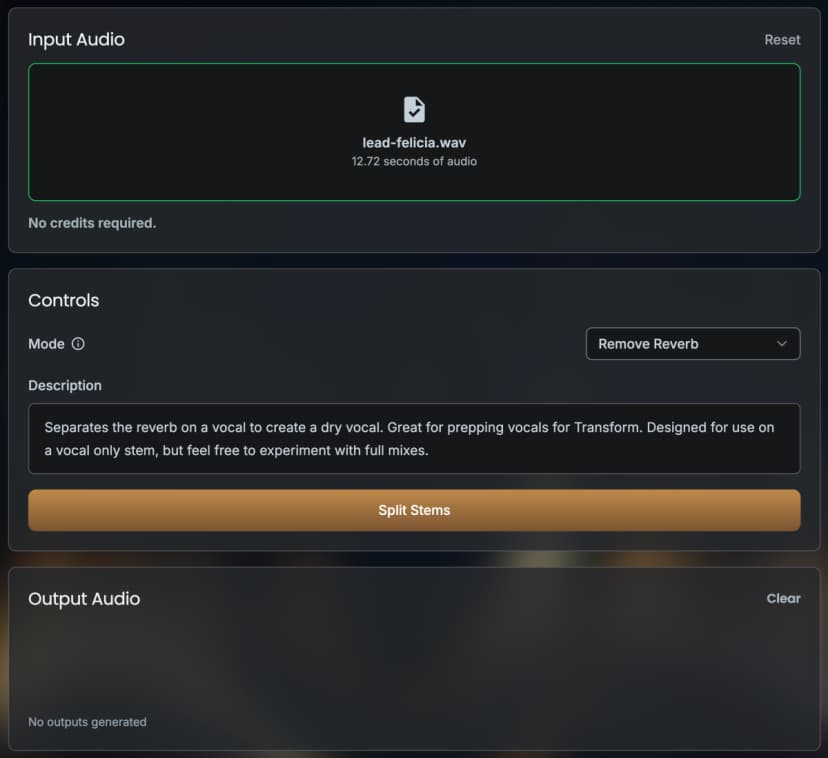
The De-Reverb option in Vocalist's Stem Splitter interface.
Workflow 2: Salvaging bedroom vocal takes
If a client sends you a vocal take recorded in a bedroom with flutter echo:
- Apply gentle high-pass filtering (around 80 Hz) to eliminate low-end room rumble.
- Run the audio through a de-reverb processor with moderate reduction settings. Avoid pushing de-reverb to 100% if the room sound is relatively minor, as extreme settings can slightly thin the vocal body.
- Apply subtle pitch correction to re-stabilize any pitch wander caused by room reflections. Read our guide on vocal pitch correction to lock pitch cleanly.
Workflow 3: Prepping audio for AI vocal transformation
AI vocal models require completely dry input. If room reflections are left on the input track, the model will produce watery, phasey, or metallic artifacts. Review our AI vocal repair guide to diagnose how room echo disrupts vocal models.
The De-Reverb vocal transformed with the RO5ES model as the next workflow step.
Limitations: When is a vocal too reverberant to salvage?
While deep learning has made astonishing progress, physics still imposes boundaries:
- Massive cathedral / stadium reverb: If the direct vocal is 15 dB quieter than a massive, cavernous church reverberation, neural models may struggle to reconstruct missing vowel details.
- Distorted reverb tails: If the vocal was recorded through a cheap preamp that clipped the reverberant room noise, harmonic distortion artifacts may remain.
For standard home studio reflections, bathroom slapback, or commercial vocal stems, modern neural de-reverberation delivers clean, studio-grade results.
Summary
You no longer have to throw away a brilliant vocal performance just because it was captured in an untreated room. By using AI neural de-reverberation to strip room reflections, you can turn boxy home takes and wet stems into pristine, dry vocals ready for commercial production.