

Vocal Range Guide: How to Find Your Range and Match Song Keys to Singer Models
Learn how to find your vocal range, identify your voice type, and match song melodies to singer models without vocal strain.
By Vocalist.ai Editorial Team · July 9, 2026 · 5 min read
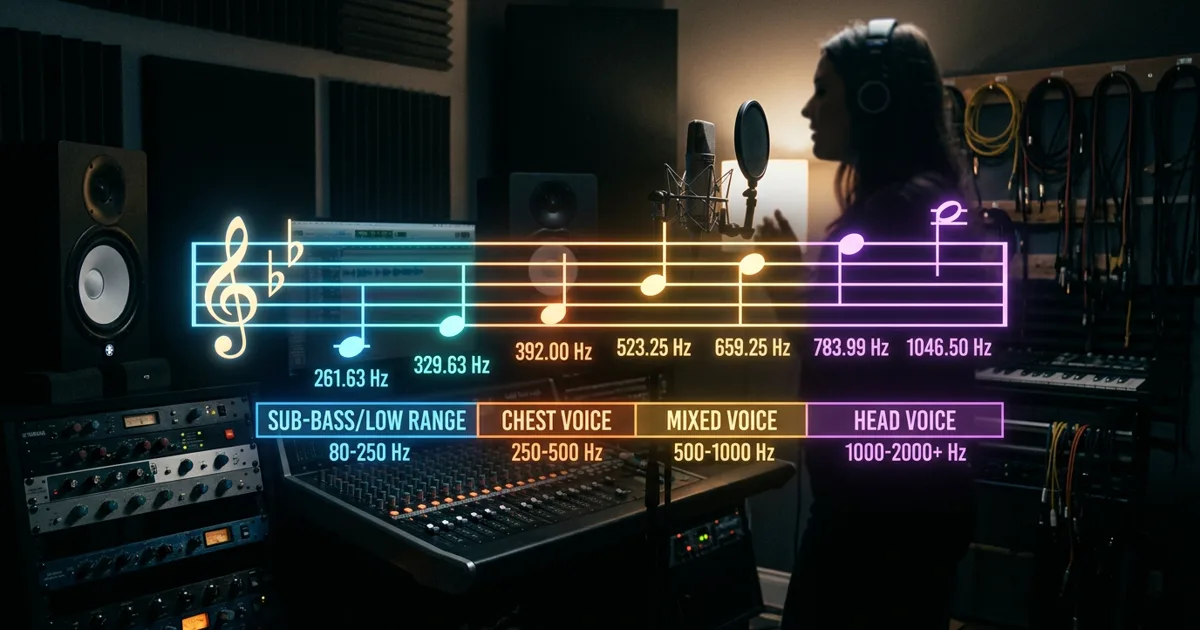
Finding your vocal range is one of the most practical steps you can take as a singer, songwriter, or music producer. Your vocal range determines which keys feel effortless to sing, where your voice resonates with the most emotional power, and which songs fit your natural vocal anatomy.
In modern music production, vocal range also matters when using AI vocal transformation: matching the pitch of your input recording to a singer model's trained register can help avoid robotic, strained, or unnatural outputs.
Here is how to calculate your vocal range, understand your vocal tessitura, and match song melodies to singer models with precision.
How to find your vocal range in 3 steps
Your vocal range is the span between the lowest note and the highest note you can comfortably sing with consistent tone. It is typically expressed using scientific pitch notation (such as C3 to A4).
Step 1: Find your lowest comfortable note
- Sit at a piano, digital keyboard, or use a chromatic tuner app on your phone.
- Starting around middle C (C4 for women, C3 for men), sing downward on a comfortable vowel sound like "ah" or "ooh".
- Continue descending one semitone at a time until you reach your lowest note that retains audible musical pitch without turning into breathy vocal fry.
- Note this pitch (e.g., E2, A2, or C3).
Step 2: Find your highest comfortable note
- Return to middle C and sing upward one semitone at a time.
- Note the point where your chest voice naturally wants to transition into head voice or falsetto.
- Keep ascending in your full, supported voice until you reach your highest note before your throat constricts or loses pitch control.
- Note this pitch (e.g., F4, G4, or C5).
Step 3: Identify your vocal classification
Compare your lowest and highest pitches against standard vocal classifications:
| Voice Type | Typical Range | Best Described As |
|---|---|---|
| Soprano | C4 - C6 | High female voice, bright and agile in upper registers |
| Mezzo-Soprano | A3 - A5 | Warm, resonant middle female voice |
| Contralto (Alto) | F3 - D5 | Deep, rich female voice with strong chest power |
| Tenor | C3 - B4 | High male voice, bright high notes |
| Baritone | A2 - G4 | Warm, versatile middle male voice |
| Bass | E2 - E4 | Deep, authoritative low male voice |
Range vs. Tessitura: Why comfortable notes matter more
While your total range represents every pitch you can physically touch, your tessitura is the smaller range where your voice sounds best and can sing repeatedly without vocal fatigue.
A singer might be able to hit a brief squeak on G5, but if an entire chorus asks them to sustain notes between E5 and G5, the performance will quickly sound thin and strained.
In vocal production, always arrange songs around the singer's tessitura, not their outer limits:
- Low tessitura: Warmer, intimate, conversational verses.
- Mid tessitura: Consistent lyrical storytelling with natural consonant articulation.
- Upper tessitura: High-energy chorus climaxes where projection and power are required.
Matching vocal range to AI singer models
Every Vocalist voice model is trained on recordings from a professional vocalist. The pitches and vocal qualities represented in that material give each model a practical range where it tends to perform best.
If you feed an input performance sung by a low male baritone (hovering around C3) into a soprano singer model that naturally sings between G4 and C6, the algorithm has to extrapolate acoustic harmonics far outside its trained comfort zone. The result is often a thin, pinched, or metallic timbre.
To eliminate this mismatch:
1. Check the model's recommended register
Vocalist provides the Sweetspot Analyzer, a visual analysis tool that maps the pitch distribution of your input vocal against the target model's sweet spot in real time.
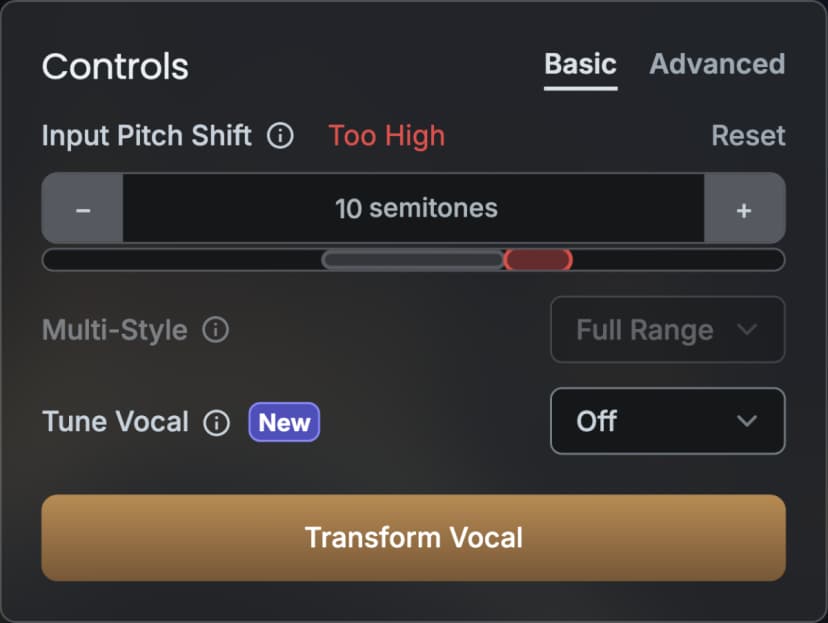
A poor range match in the Sweetspot Analyzer.
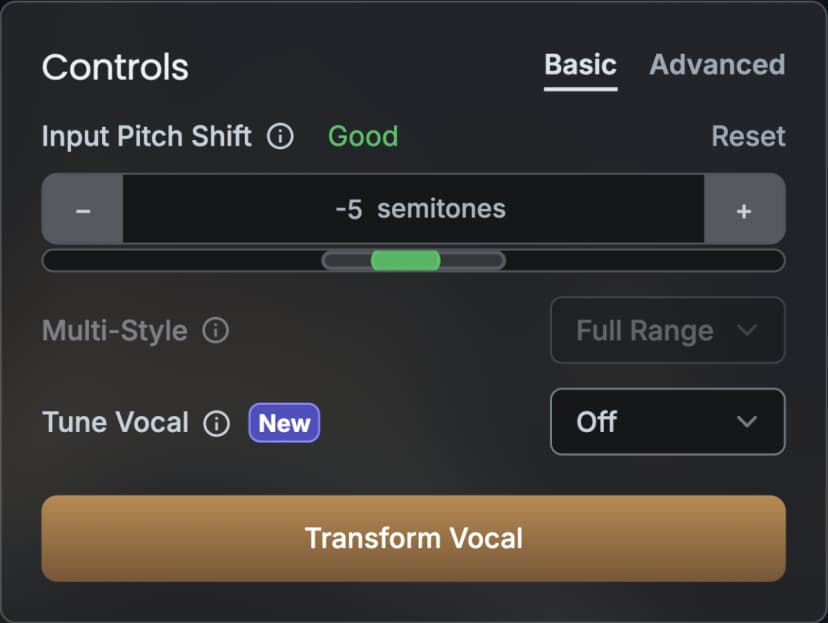
Improved input and model range overlap after adjustment.
2. Transpose before transforming
If your melody sits outside the green target zone, you do not need to re-record the song in another key. Use input pitch shifting to shift the guide track up or down by semitones until it aligns with the singer model's sweet spot.
3. Polish with subtle pitch stabilization
Once your melody sits inside the model's range, apply gentle pitch correction to ensure sustained notes do not drift. Review our guide on vocal pitch correction to lock pitch while preserving natural human inflection.
Arranging for different vocal ranges
When collaborating with multiple vocalists or exploring cross-gender vocal transformation, keep these arrangement rules in mind:
- Modulate keys for lead and backing vocals: If your lead singer is a baritone and your backing harmony stack is handled by a female model, pitch shift the backing harmony inputs up 5 to 7 semitones to place them naturally in their optimal frequency pocket.
- Leave room for the bass and kick: Low male vocals (below D3) compete directly with synth basslines and kick drum fundamentals. High-pass filter low guide takes to ensure pitch tracking algorithms lock onto the fundamental pitch rather than sub-bass rumble.
- Protect vocal dynamics: Singing at the extreme top of your range often causes unintentional volume spikes. Use light dynamic control during tracking so your guide vocal delivers consistent level into the model.
Conclusion
Understanding your vocal range gives you more control over your arrangements. Whether you are tracking yourself or preparing a guide vocal for a transformed singer model, keeping melodies inside a comfortable vocal sweet spot improves the odds of a natural, powerful result.