

How to Pitch Shift Vocals Without Losing Their Character
Choose a vocal pitch shift, keep the melody aligned with the backing, and understand formants, time stretching, and range matching before voice transformation.
By Vocalist.ai Editorial Team · October 6, 2026 · 4 min read
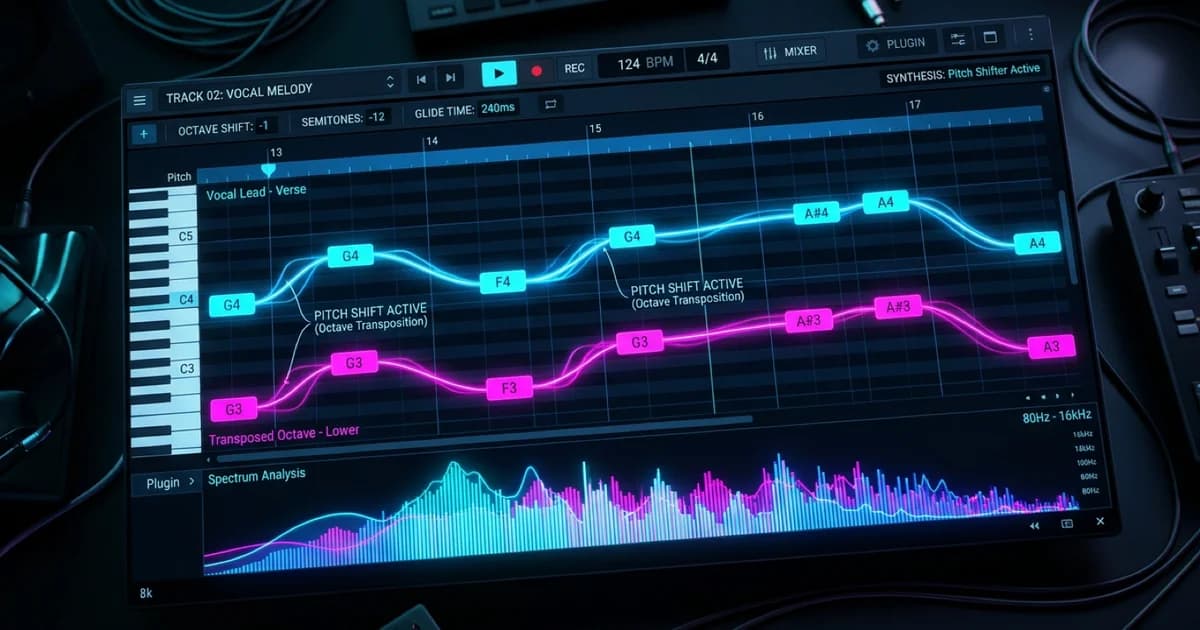
To pitch shift vocals, choose the interval you need, apply a vocal-appropriate pitch processor, and compare the result with both the untreated take and the backing. If you want to keep the same tempo, use a mode that changes pitch independently of duration. Then check vowels, consonants, and sustained notes for artifacts.
There are two separate jobs: transposing a vocal in a DAW, and shifting an input to suit a singer model before transformation. Vocalist's Input Pitch Shift supports the second job. It is not a replacement for every pitch-editing task in a DAW.
Decide what should change
| Goal | Appropriate action |
|---|---|
| Move the entire melody to a new key | Transpose the vocal and the backing arrangement together |
| Sing the melody an octave higher or lower | Shift by 12 semitones, then check the new register |
| Fix individual inaccurate notes | Use pitch correction, not a uniform shift |
| Change vocal character without choosing new notes | Audition voice conversion or a formant effect, depending on the goal |
An octave preserves pitch classes. A non-octave shift does not: C shifted up two semitones becomes D. The fact that the new vocal sounds more comfortable does not mean it still fits an unchanged chord progression.
For range matching before transformation, start with the model comparison below; for DAW transposition, work through the first three steps.
1. Keep a reference and choose a short test
Duplicate the track or save a new version before committing processing. Include a sustained vowel, a breath, and a consonant-heavy phrase in the test section. These expose different kinds of damage.
If you have a dry recording, use it before printed reverb and delay. Effects tails can change character when transposed, which may be desirable creatively but makes it harder to evaluate the voice itself. For clean preparation, read dry versus wet vocals.
2. Choose whether timing should stay fixed
Some processes link playback speed and pitch. Others attempt to keep the duration constant while transposing. Choose according to the arrangement, not just which preview sounds interesting in solo.
If you are shifting a lead against an existing instrumental, preserving timing is usually the useful starting point. After rendering, verify the first word and final phrase against the original. Do not assume every processing mode preserves the same start time or duration.
3. Understand the formant option
Pitch describes how high or low a note is. Formants are resonant regions that help shape vowel identity and perceived vocal character. A pitch shifter's formant-preserving option attempts to avoid moving those resonances in exactly the same way as the note pitch.
It is not an artifact-free switch. Compare it on and off, especially over larger intervals. One version may retain a more familiar character while the other produces a deliberate special effect. The formants guide explains that distinction in detail.
4. Use Vocalist's input shift for model matching
In Transform, compare the melody with the selected model's displayed range, then audition an appropriate shift. The Input Pitch Shift documentation explains the control. Choose another model when that better preserves the line you want.
The supplied range pack contains two ALIICIA transformations of the same source at different input shifts:
The supplied range-mismatch render at zero semitones.
The supplied comparison with the input shifted up 12 semitones.
This pair illustrates range matching during transformation rather than a standalone DAW pitch-shifter test. Choose the interval that suits your own melody and singer.
5. Listen for the cost of the shift
Compare at similar loudness, first solo and then with the instrumental:
- Vowels: do long notes sound unstable, hollow, or unusually nasal?
- Consonants: are short attacks blurred or exaggerated?
- Transitions: do slides become stepped or disconnected?
- Breaths: do they draw attention after the processing?
- Arrangement: are the new notes and register still useful?
For a large shift, compare a newly recorded take in a more suitable register. Processing is an option, not an obligation when rerecording would preserve more of the performance.
Common mistakes
Using a uniform shift as harmony generation. Moving every note by a fixed number of semitones does not automatically produce a line that follows changing chords. Write the harmony separately.
Tuning the wrong notes after transposition. Check the new key before applying key-based correction. A key label is not a substitute for listening to the intended melody.
Judging only in solo. A striking octave effect may crowd the bass or disappear under guitars. Keep checking the full arrangement.